A clearer view of agent activity
By Nacho Viejo · Originally published on saski.com
Web edition updated
I’ve updated Agent Systems Lab to make agent activity clearer and easier to follow.
Think of an agent as a worker with a task and a limited set of tools. The dashboard helps you see:
- What each agent has done and which tools its role can use.
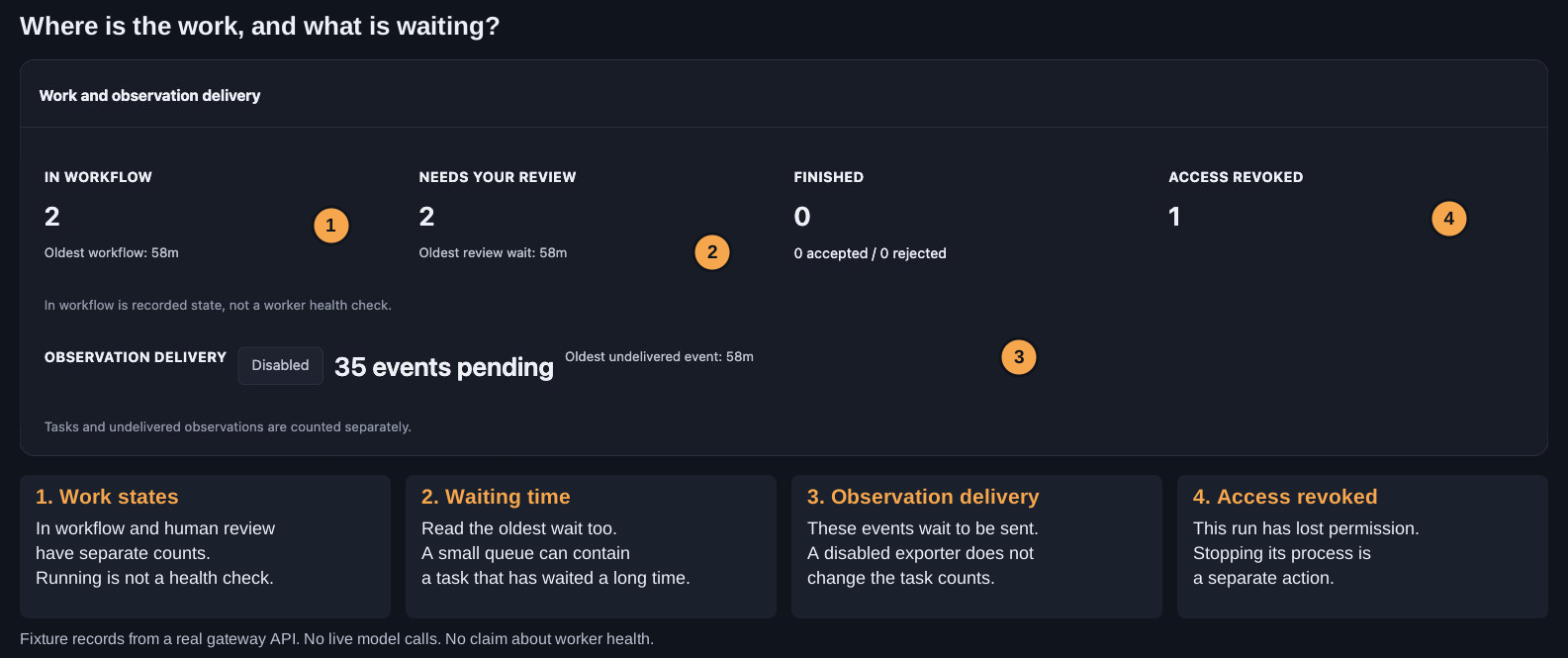
- Where tasks are waiting, and for how long.
- How to intervene through the operator’s terminal.
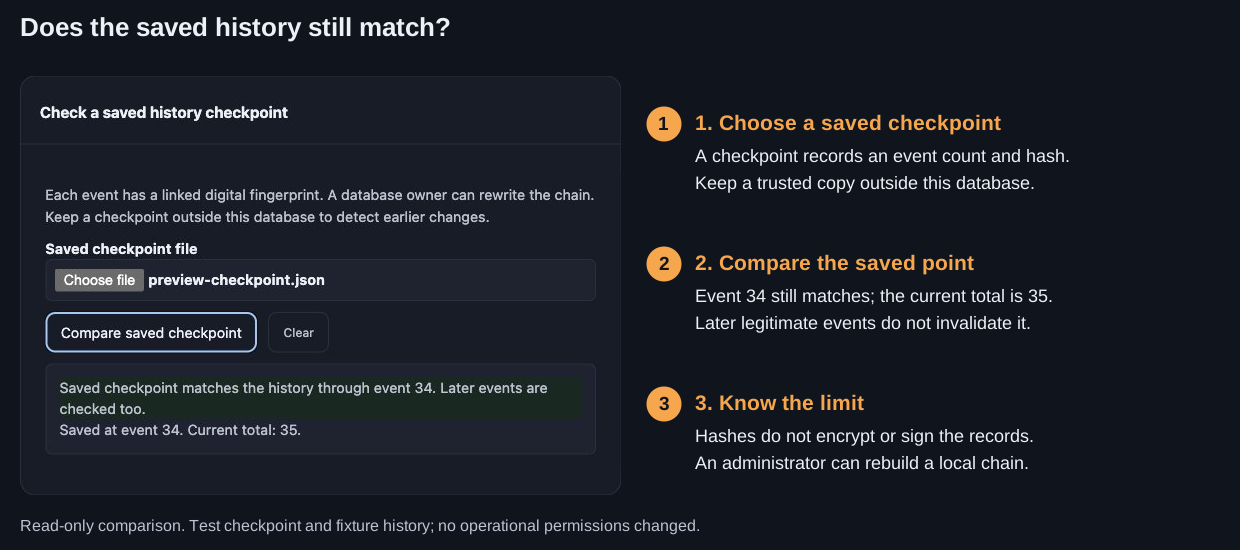
- Whether recorded history still matches a saved checkpoint.
Two different kinds of waiting
The dashboard makes two different queues visible: work waiting for human review and records waiting to be sent. Each needs a different kind of attention. A task waiting for a decision is not the same problem as an observation waiting to reach its receiver.
A reference point for history
A saved history checkpoint contains an event count and a digital fingerprint. Comparing it checks whether the recorded history still matches that reference point, even after later events have been added.
That does not encrypt the records or stop a database administrator rewriting them. Keep a trusted checkpoint separately if you want to detect changes against that copy.
The illustrated dashboard guide walks through each view with annotated screenshots and examples, for developers who use AI assistants but are new to agent systems.
This remains an experimental playground. The examples use scripted model responses and test records to explain the workflow and controls, not to establish real-model quality or worker health.